


In larger companies, AI costs rarely come out of a single shared budget. The legal department, the tax team and compliance each have their own cost centre and want to buy credits separately. Shared credit accounts are built for these companies. The CODEXIS license stays one, but each department buys and manages its own credit package. Each has its own credits, its own usage history and its own limits for its people.
One license, credits per department
You normally draw credits from the main license, which its administrator manages. A shared account is a separate credit account that any user of the license can create, typically a department head. They do not need to be the license administrator. Whoever creates the account becomes its owner: they invite colleagues, top it up from their department's budget and see how much each person has used.
Creating an account and adding colleagues
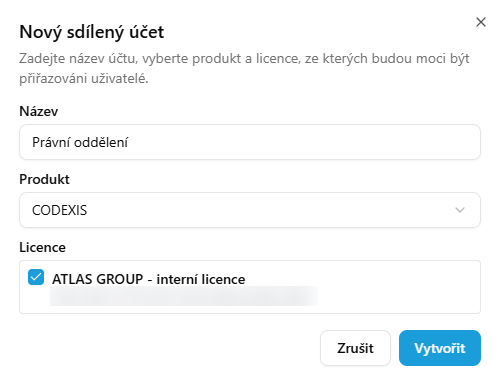
In the Credit Management application, the Shared accounts section is below the list of licenses. Click New account, enter the Name, select the Product and tick the Licenses from which you will add users to the account. Click Create to finish. The screenshots below show the Czech interface.
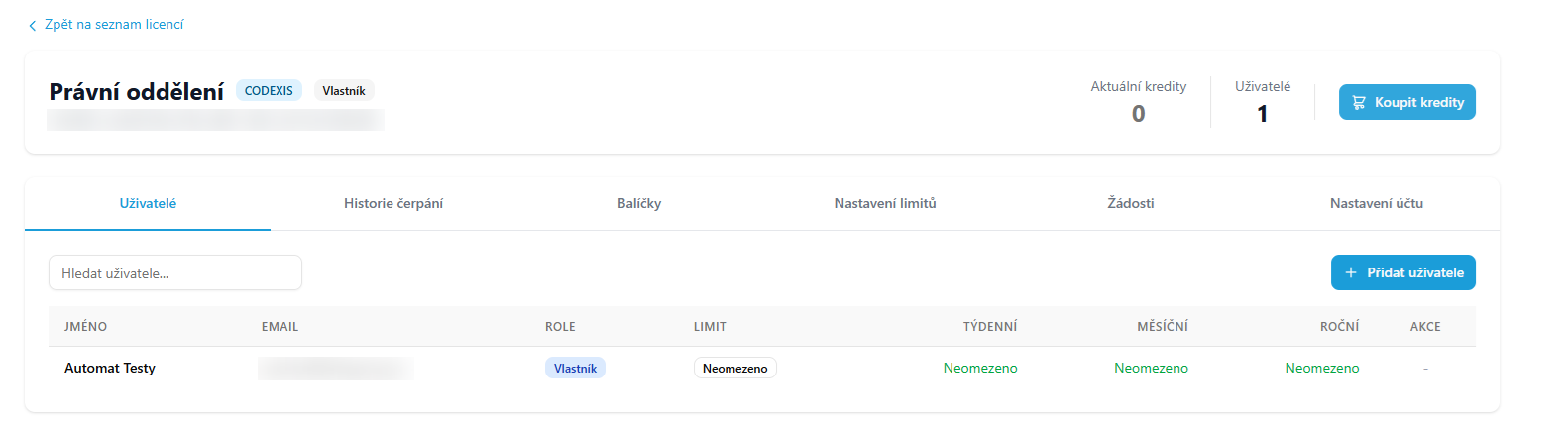
In the account detail, add colleagues on the Users tab one at a time or in bulk by importing a file. For each of them you set a limit on how many credits they can draw from the account per week, month and year. Only a user who holds one of the selected licenses can be a member.
Each department buys its own credits
A new account starts with no credits. The Buy credits button in the account header takes you to the e-shop, where you select a credit package and complete the order. The credits are added to the shared account, not to the license. The Packages tab shows what the department has bought and the Usage history tab shows how much of it its people have used.
Which account credits come from
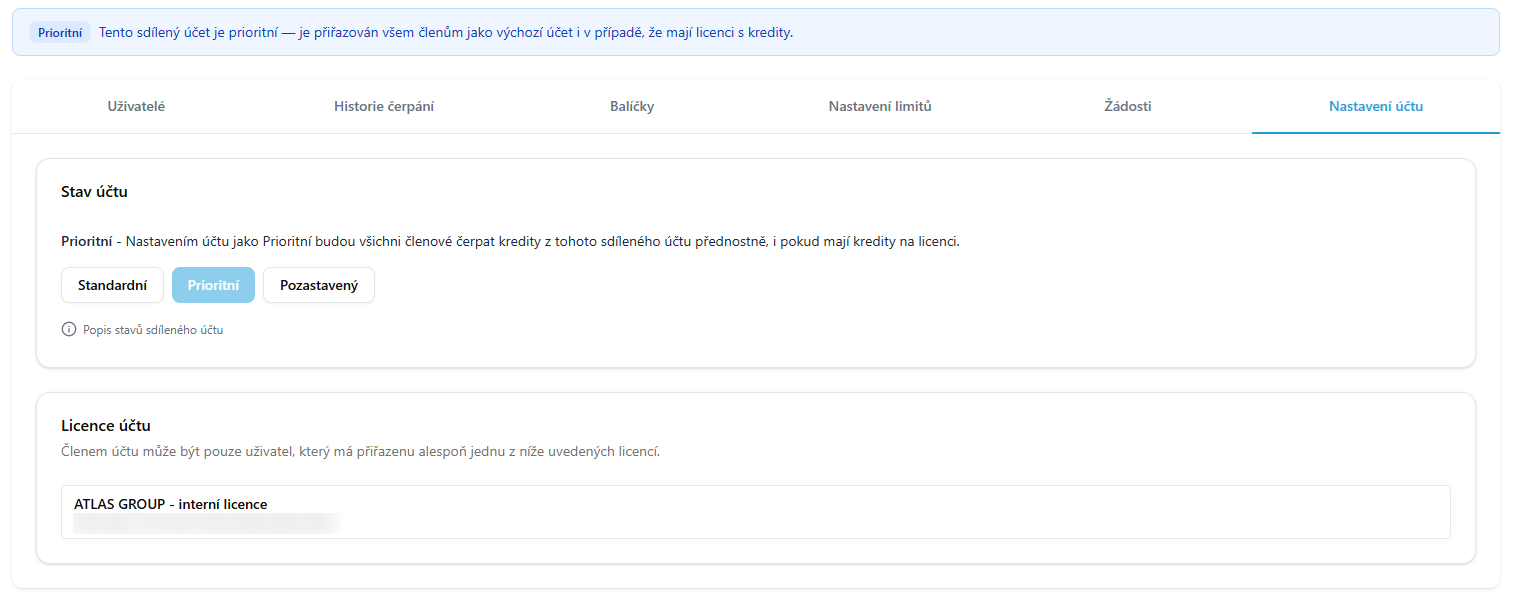
On the Account settings tab you decide whether members draw from the shared account or from the license first. In the Standard state they draw from the license first, and the shared account is used only when they have no credits left on the license. In the Priority state members' usage goes to the shared account even if they also have credits on the license. Choose this state if the department is to pay for AI solely from its own budget. In the Suspended state nobody draws from the shared account.
The full procedure is described in the documentation on the Shared credit account page.