

Almost everything gradually moved into the browser. Editors, spreadsheets, meetings. Installing something on your computer started to feel old-fashioned. With AI, though, you hit a wall the browser cannot get past. It cannot see your files.
The browser is closed off on purpose. You have to walk the Agent to every single document by hand: download the attachment from your e-mail, upload it, wait, download the result and save it back into the folder where it belongs. With one file that is a minor annoyance. With fifteen contracts you spend more time moving data around than working.
That is why CODEXIS AI Agent can now also run as an app on your own computer. It looks the same as on the web, but it can do one important thing more.
The Agent sees what is on your computer
The advantage is that the Agent sees the contents of your computer. You work with the things sitting on your desktop or in your Documents folder without having to share or copy them anywhere.
Type what you need into chat. The Agent opens the file, reads it, edits it, renames it or creates a new one. The result is saved straight into your folder. No uploading, no downloading, no extra copy left behind in Downloads.
The change is smaller than it sounds, and it still changes how you work. You stop thinking about which documents to hand over. You simply say "go through those contracts in the Clients folder" and the Agent goes through them.
You decide where it may look
To be clear: the Agent does not see your whole disk. It sees only the folders you pick yourself.
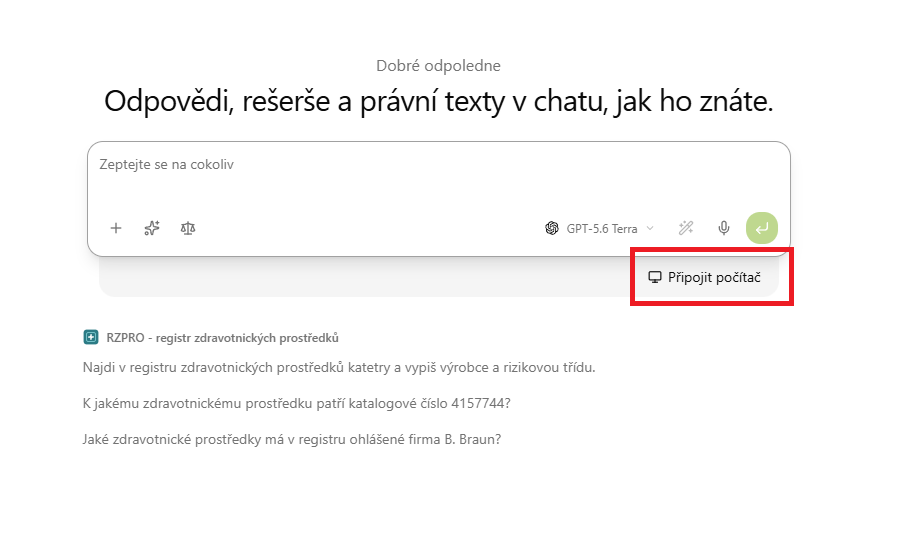
Click Připojit počítač below the input field and choose the folder you want to open up.
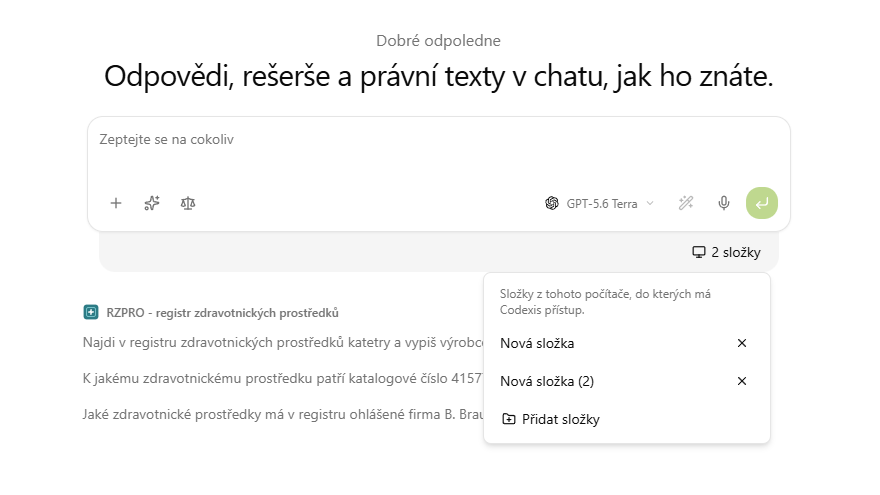
The same spot then shows how many folders are connected. Click it to unfold the list, remove individual folders with the cross and add more with the Přidat složky button. Anything you have not connected does not exist as far as the Agent is concerned.
Installing and signing in
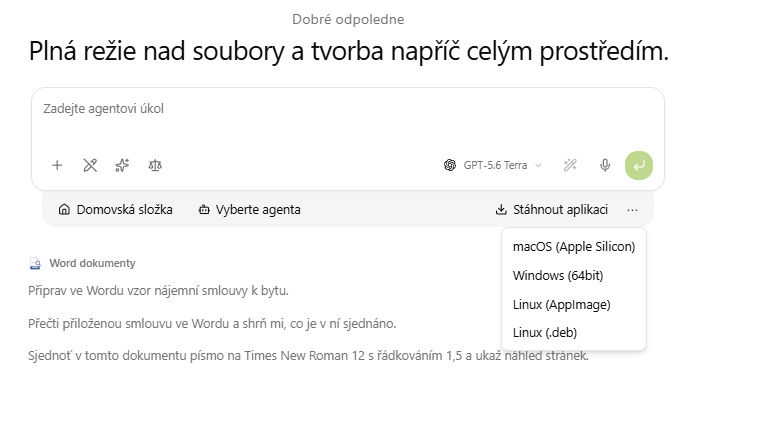
You download the app straight from the web interface. Click Stáhnout aplikaci below the input field and pick the build for your system: macOS (Apple Silicon), Windows (64bit) or Linux in the AppImage or .deb format.
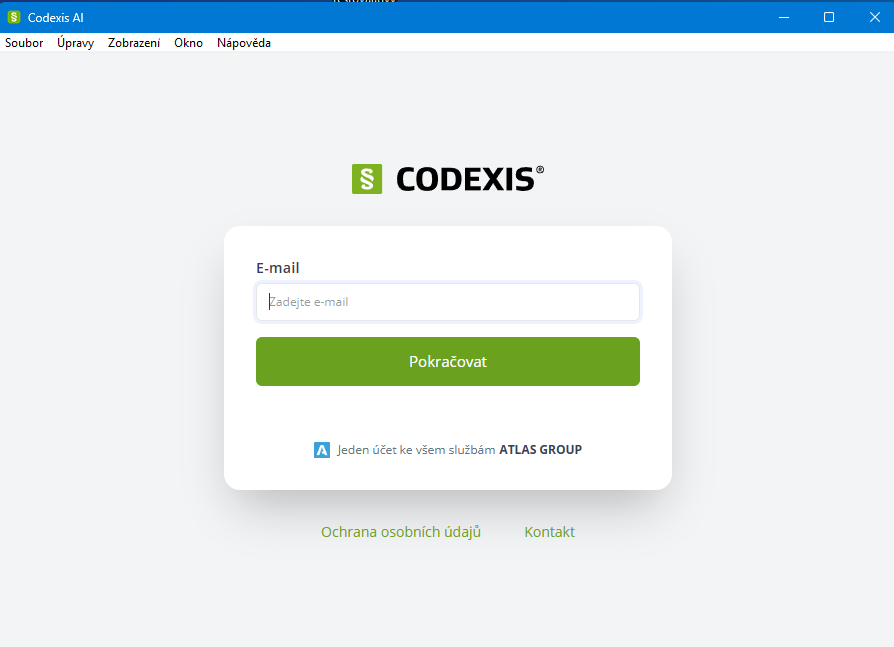
Run the downloaded file and go through the standard installation. Then open the app, enter your e-mail, click Pokračovat and sign in with the same account you use on the web. Your conversations and add-ons stay where they were.
What you can set up
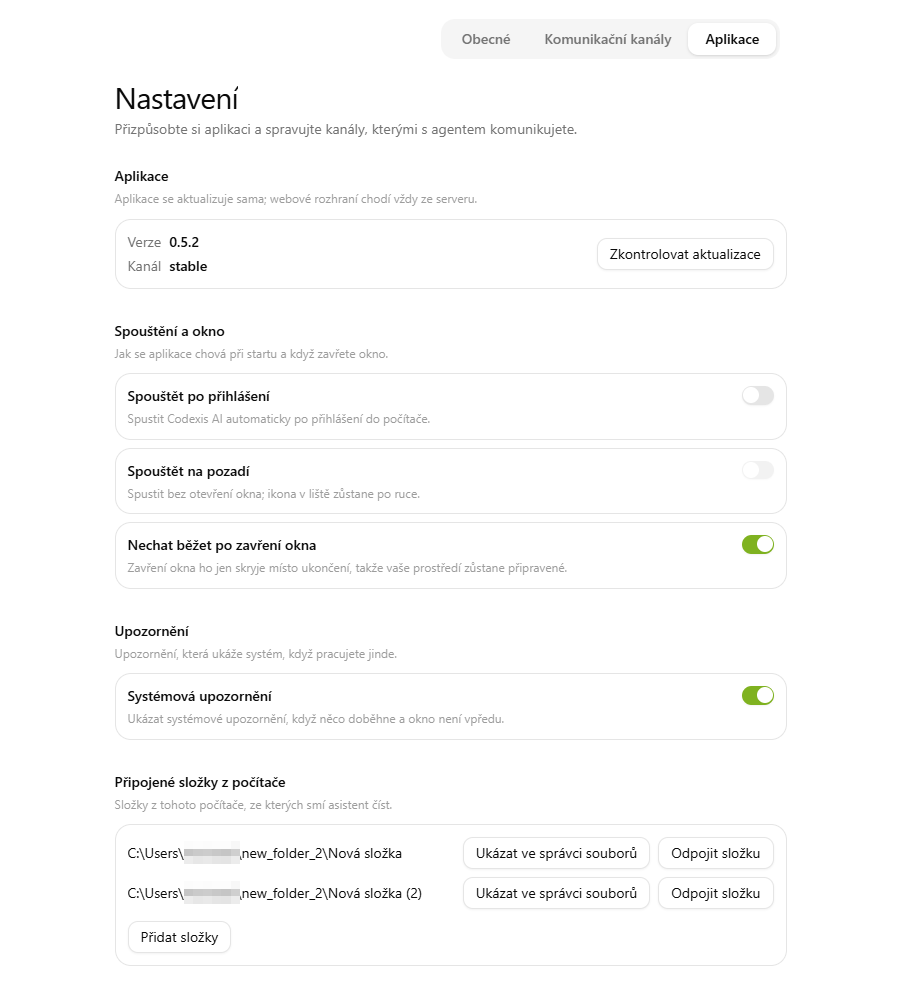
The app updates itself, but the Aplikace tab in settings shows the version and the channel, and the Zkontrolovat aktualizace button asks for a new one on demand.
The Spouštění a okno section decides whether the app starts when you log in to your computer, whether it starts straight into the background, and whether closing the window merely hides it instead of quitting. Systémová upozornění let you know when something finishes while the window is not in front. At the very bottom is the list of connected folders, each with a Ukázat ve správci souborů and an Odpojit složku button.
When your files are not on your computer
Not everything sits on a disk, and the desktop app is only one of three routes to your documents. Company storage connects through shared folders on OneDrive, SharePoint or a SAMBA server. And a single document can always be attached directly in chat, exactly as before.
Step-by-step instructions are in the manual on the Desktopová aplikace page.