


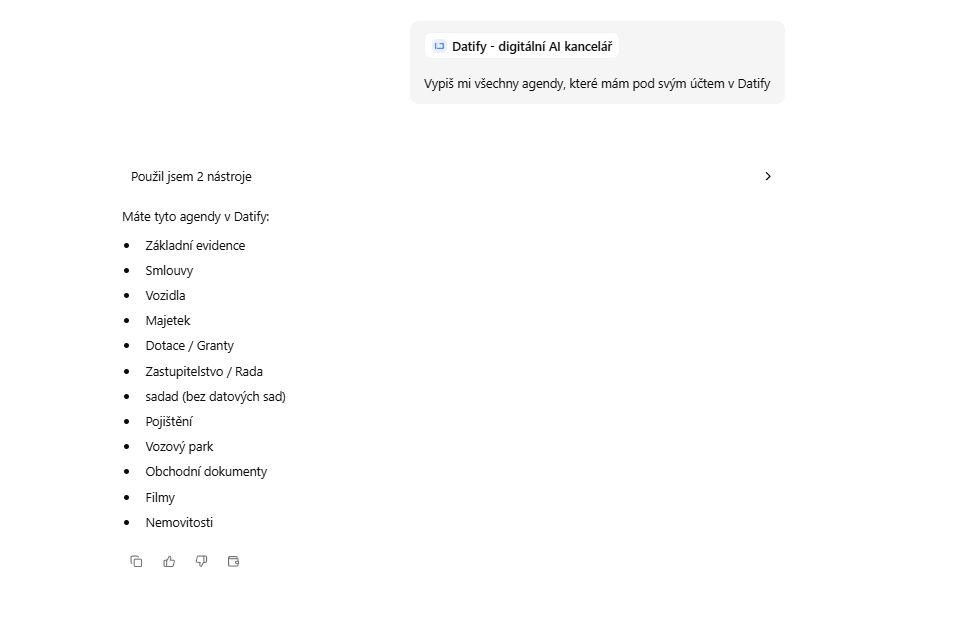
DATIFY is an app for running company records such as contracts, assets, vehicle fleets or grants. Its data lives in collections and datasets. The new Datify - digitální AI kancelář add-on connects CODEXIS AI Agent to your DATIFY account, so you can ask about your records directly in chat.
What the Agent can do with DATIFY
Select the Datify - digitální AI kancelář skill in chat and the Agent can:
- list collections (agendas) and their datasets,
- browse records, sort them and filter them by value,
- report the structure of a dataset including fields and their types,
- create and edit records individually or in bulk,
- upload attachments to records or to a dataset and show their metadata and links.
You can ask which contracts expire next month, have details added to your asset records, or attach a file to a record without opening DATIFY at all.
Connecting in three steps
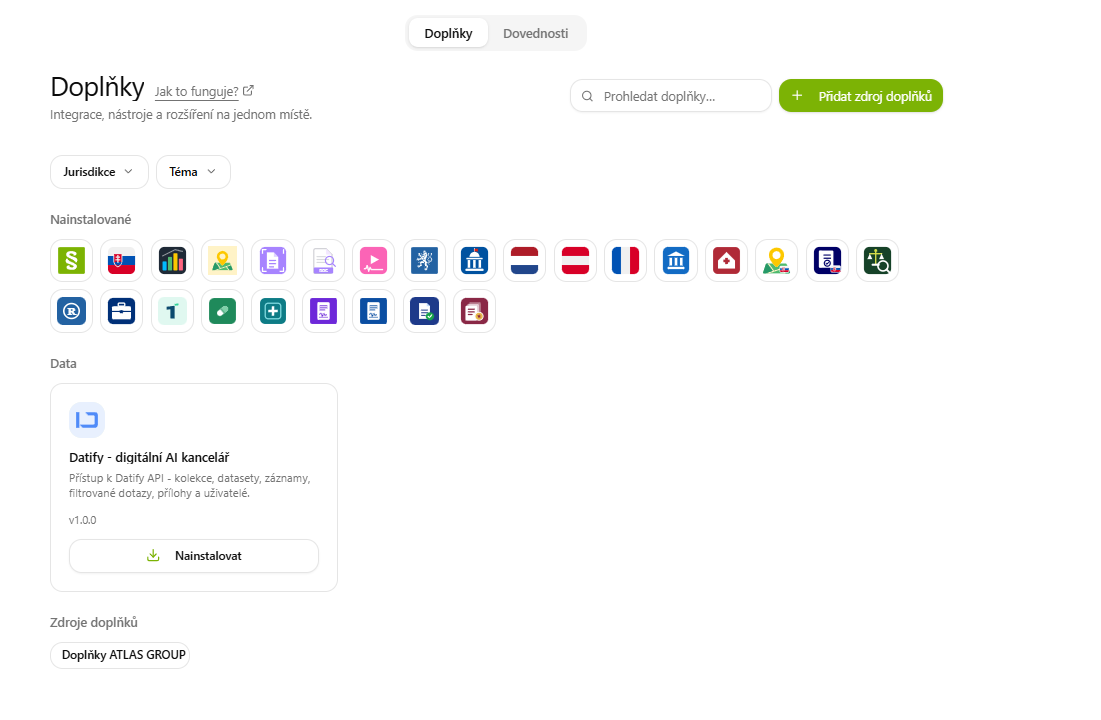
You'll find the add-on under Doplňky in the left menu. Use the Prohledat doplňky… search field to find it in the Data category and install it with Nainstalovat.
Next, create an access token in DATIFY. In the Agent, go to Nástroje → Aplikace, open the DATIFY app and click the Kde získám token? link. On the Personal access tokens page in DATIFY, pick a workspace in the top right, click Nový token, name the token and confirm with Vytvořit. Copy it straight away, because it is shown only once.
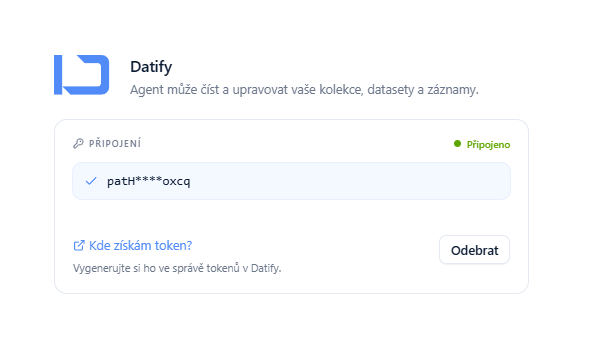
Finally, return to the DATIFY app page in the Agent, paste the token into the Token z DATIFY field and click Uložit. The Připojení section switches to Připojeno and shows the shortened token. The Odebrat button disconnects the account at any time.
Treat the token like a password
The token carries the same permissions as your DATIFY user account. If you lose it or it leaks, revoke it in DATIFY token management and create a new one.
A detailed step-by-step guide is available in the manual on the DATIFY: digital AI office page.